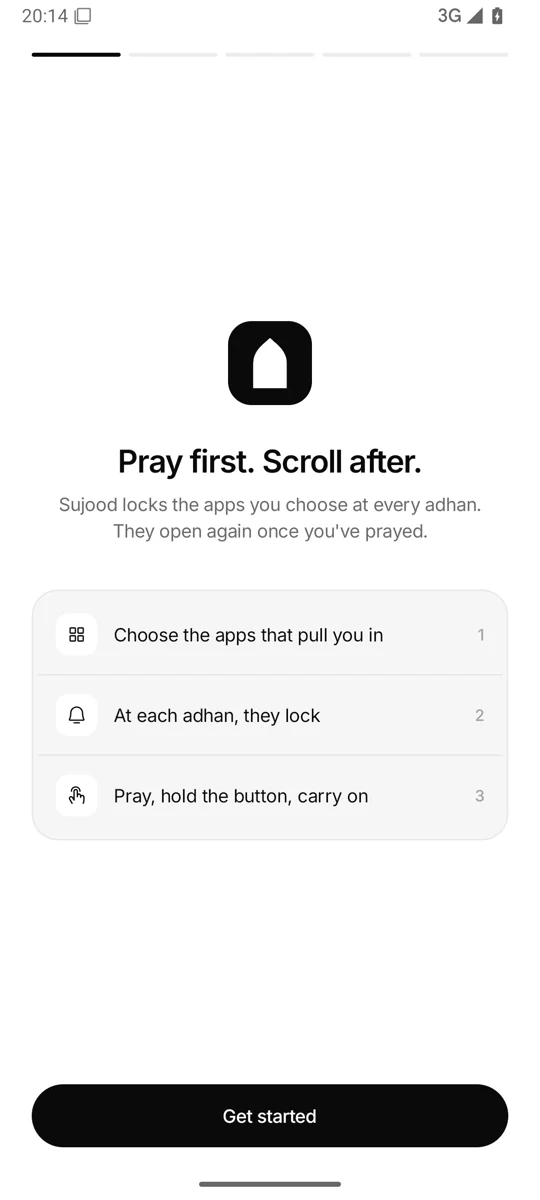
Pray first.
Scroll after.
Sujood locks the apps you choose at every adhan. They open again once you've prayed.
How it works
Three steps, then it runs on its own
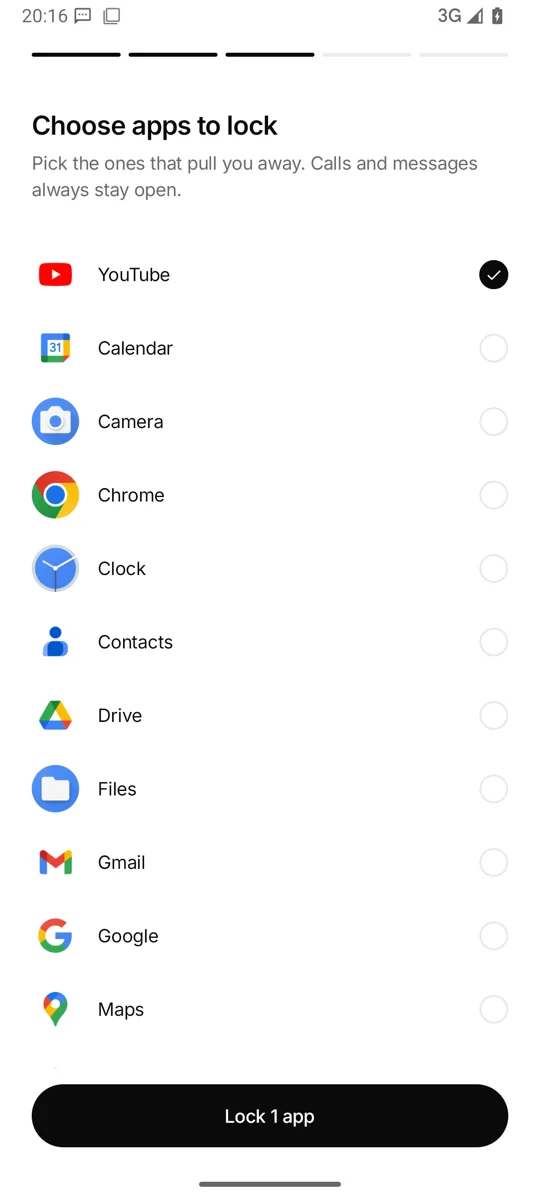
1Once
Choose the apps that pull you in
Instagram, TikTok, YouTube, games. Calls and messages always stay open.
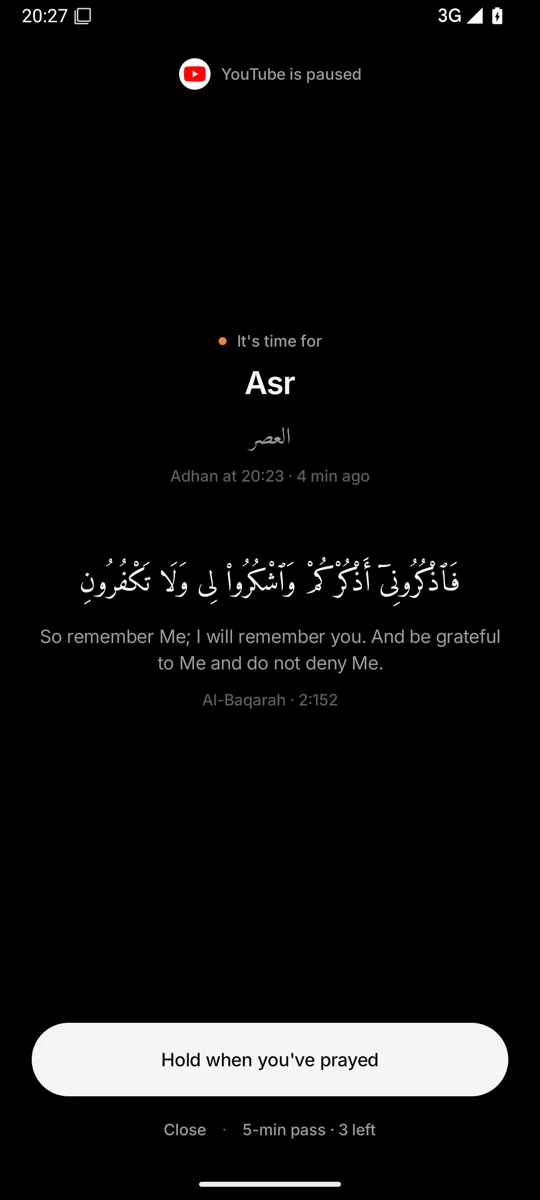
2Five times a day
At each adhan, they lock
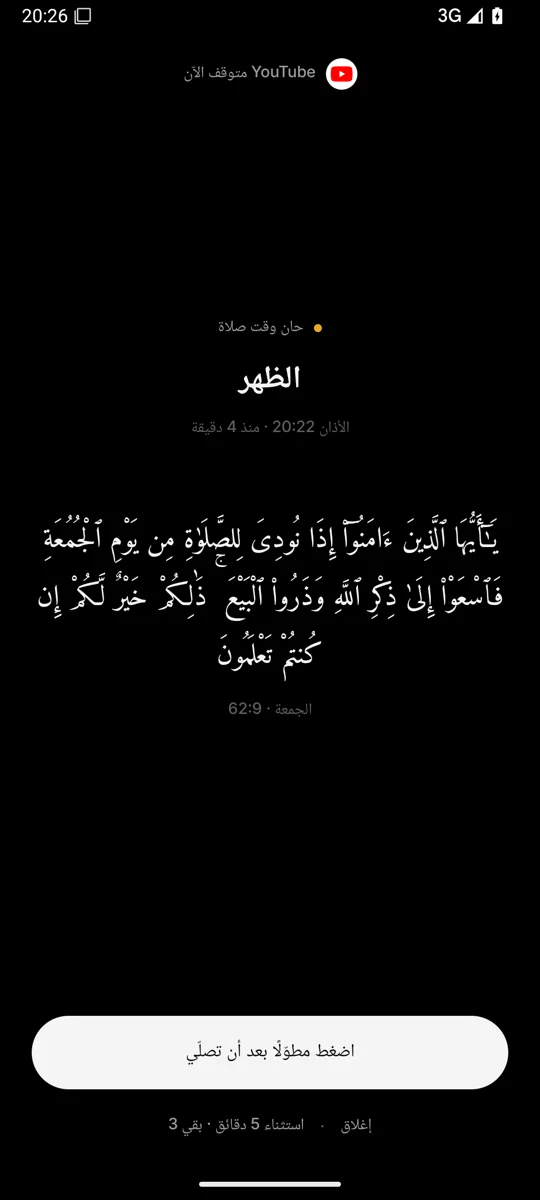
Open a locked app and you see the prayer, how long ago adhan was, and a Quran ayah.
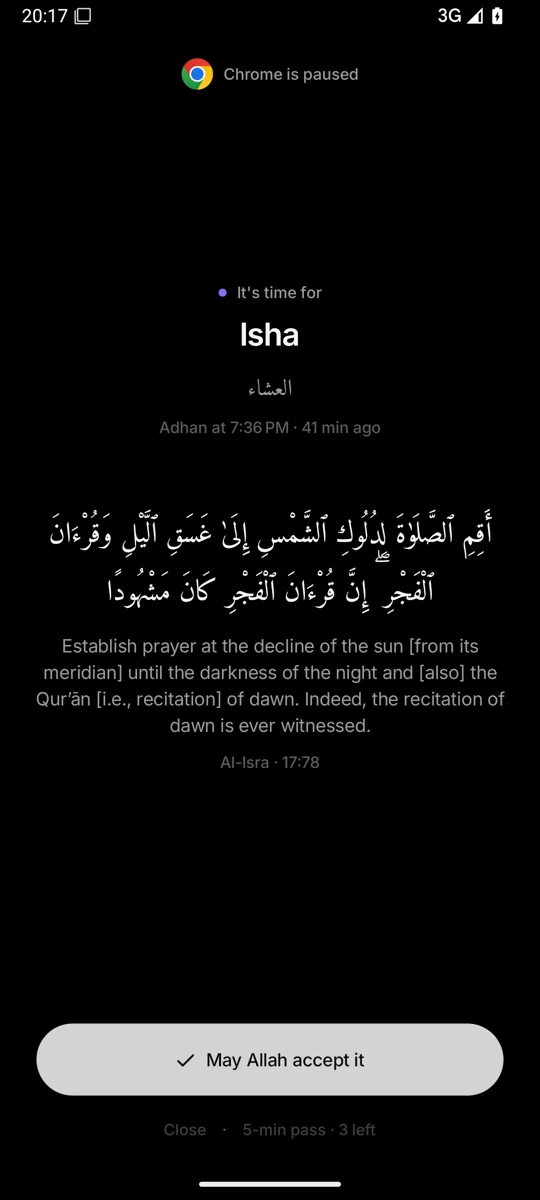
3After you pray
Hold the button, carry on
Hold it once you've prayed. The prayer is ticked and your apps open again.
Features
Small rules that keep you on time
Locks at every adhan
Pick Instagram, TikTok, YouTube or anything that eats your time. At adhan it pauses, and the lock screen shows the prayer and an ayah.
Prayer times on your phone
Calculated on the phone from one location fix or a city you pick. Ten calculation methods and a Hanafi Asr option.
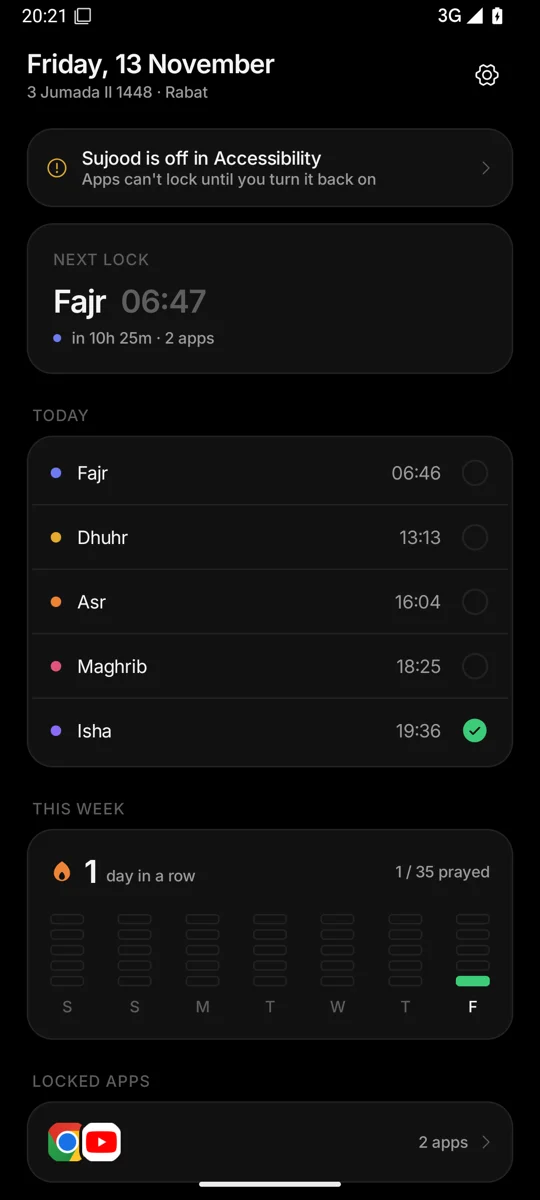
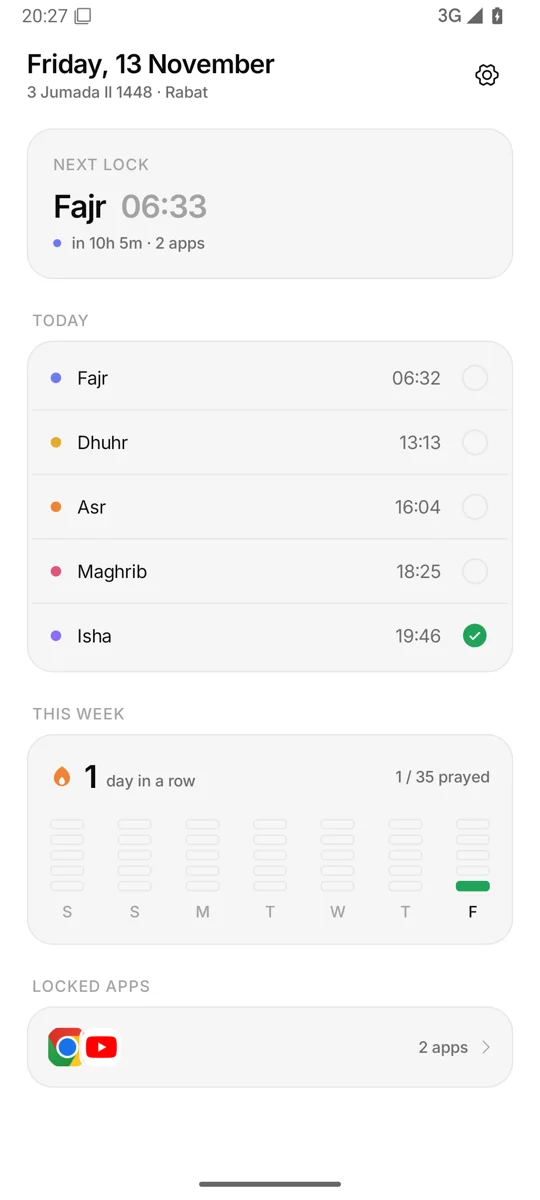
Today's five, and your streak
Tick each prayer as you go. See your days in a row and a week grid of all 35 prayers.
Three passes a day
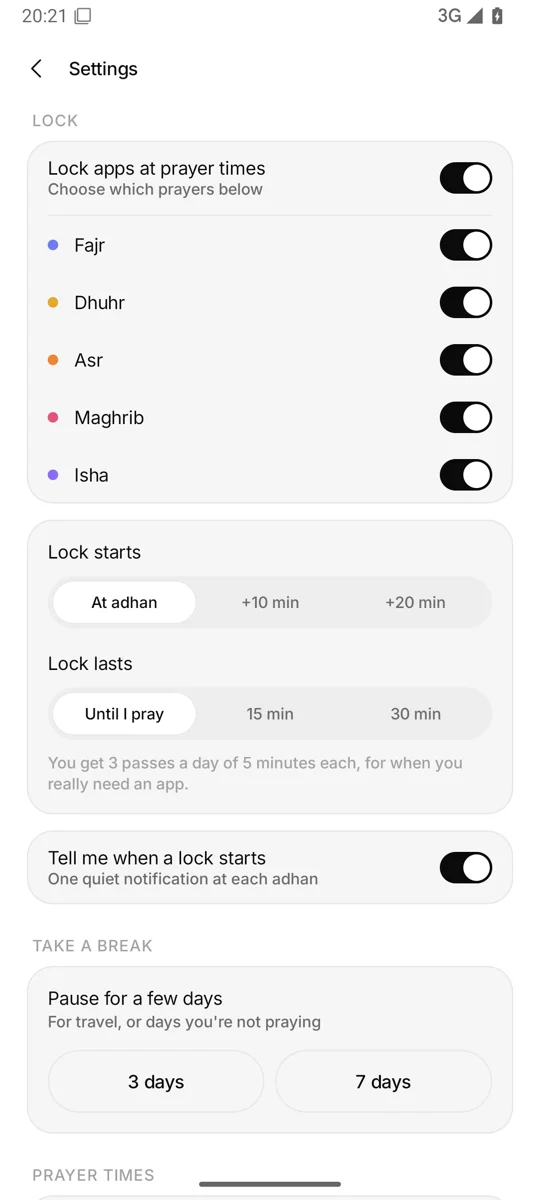
Need an app for a moment? You get 3 passes a day, 5 minutes each.
Pause for 3 or 7 days
For travel, or the days you're not praying. The locks come back on their own.
Your rules
Choose which prayers lock. Start at adhan or 10 or 20 minutes after, and lock until you pray or for 15 or 30 minutes.
An ayah every time
Uthmani Arabic with a translation, word for word from quran.com. On Fridays, Dhuhr shows Al-Jumu'ah 62:9.
English and Arabic
The whole app in both languages, right to left in Arabic.
Stays on your phone
No account, no ads, no tracking. Nothing is collected or sent anywhere.
Screens
Quiet by design
Privacy
It only knows which app you opened
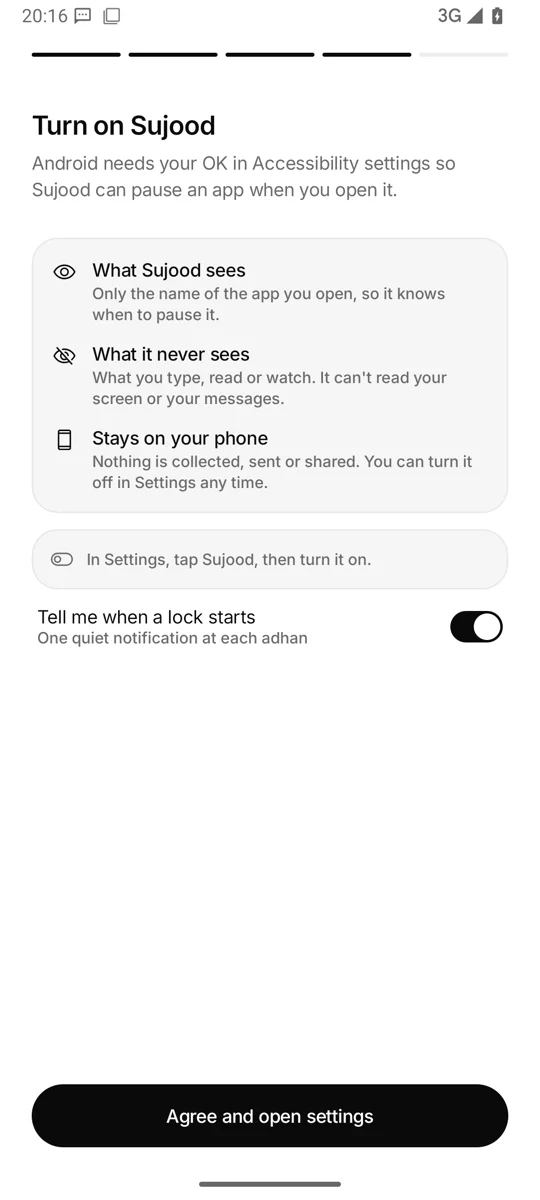
Android's Accessibility service lets Sujood notice when you open an app, so it can pause the ones you chose. That's all it's used for.
What Sujood seesOnly the name of the app you open, so it knows when to pause it.
What it never seesWhat you type, read or watch. It can't read your screen or your messages.
Stays on your phoneNo account, no server, no analytics. Turn it off in Settings any time.
Pricing
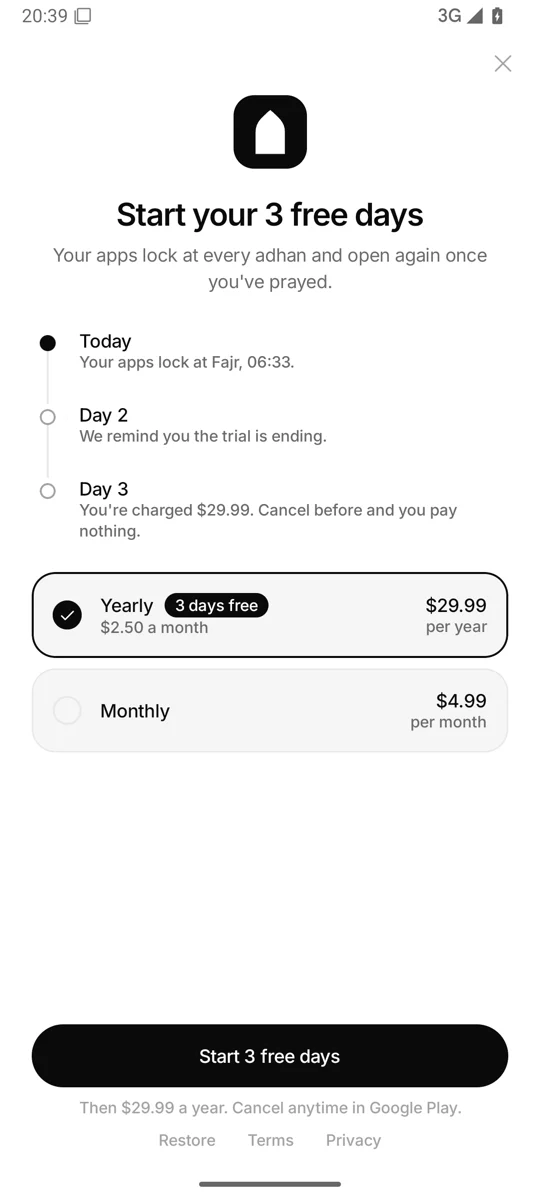
Prayer times are free. Locking is Pro.
Free
$0
Prayer times and tracking, always free.
- Prayer times for your location or city
- Today's five prayers with ticks
- Streak and week grid
- English and Arabic
Sujood Pro
3 days free- Everything in Free
- Lock the apps you choose at every adhan
- Choose prayers, lock start and lock length
- 3 passes a day, pause for 3 or 7 days
FAQ
Questions
Does Sujood read my messages?
No. Sujood uses Android's Accessibility service only to notice which app you just opened (its package name), so it can show the prayer screen over the apps you chose to lock. It can't read your screen, what you type or your messages, and nothing leaves your phone. You can turn it off in Android Settings at any time.
Is Sujood free?
Prayer times, today's prayers with ticks and your streak are free. Locking apps needs Sujood Pro: $29.99 a year with a 3-day free trial, or $4.99 a month, through Google Play subscriptions. Google Play shows the price in your currency.
How do I cancel Sujood Pro?
Open Google Play, tap your profile picture, then Payments & subscriptions → Subscriptions → Sujood Pro → Cancel subscription. If you cancel during the 3-day free trial, you won't be charged. Uninstalling the app does not cancel the subscription.
Sujood reminds you the day before the trial ends.
Which prayer calculation methods does Sujood use?
Prayer times are calculated on your phone. You can choose Muslim World League, Umm al-Qura (Makkah), Egyptian General Authority of Survey, University of Islamic Sciences (Karachi), ISNA (North America), Dubai, Qatar, Kuwait, Singapore or the Moonsighting Committee, plus a standard or Hanafi Asr. Sujood suggests one for your region and you can change it in Settings.
Does Sujood work offline?
Yes. Prayer times are calculated on the phone, so the locks, the lock screen and your prayer log work without internet. You can pick your city from a built-in list instead of using location. Starting a subscription needs a connection to Google Play.
What if I need an app during prayer time?
You get 3 passes a day, 5 minutes each. Calls and messages are never locked.
Can I pause Sujood when travelling or on my period?
Yes. In Settings, pause the locks for 3 or 7 days. They come back on their own.
Is Sujood on iPhone?
Not yet. Sujood is for Android.